Symbol names, suffixes and contract specs
Why EURUSD is called something else on many MT4 and MT5 accounts, how to find the right symbol in code, and which contract spec fields to read instead of hard-coding.
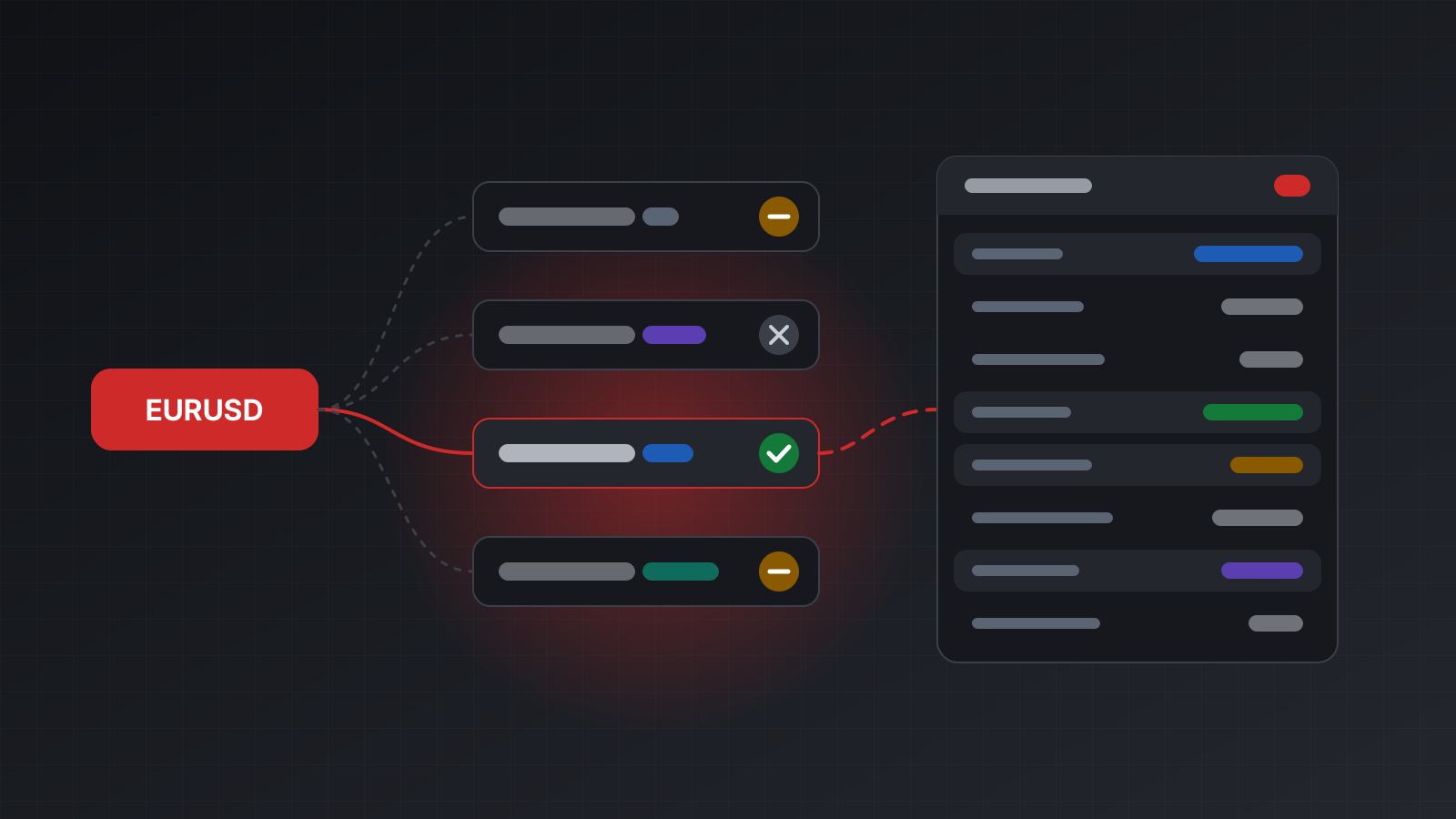
Code that trades EURUSD on one account often fails on the next with “symbol not found”. Nothing is broken. The second broker simply calls the pair EURUSDm, EURUSD.pro or EURUSD_i. Even when the name matches, the contract behind it can differ: a different lot size, a different number of decimals, a different minimum stop distance.
A bot that hard-codes names and numbers works on the account it was built on and misbehaves everywhere else. This post explains how symbol names vary on MetaTrader 4 (MT4) and MetaTrader 5 (MT5), how to find the right one in code, and which contract specification fields to read before every order.
Why the same pair has different names
A symbol is the name a broker gives to something you can trade: a currency pair, a metal, an index, a share. MetaTrader doesn’t fix these names. Each broker picks its own, and many add extra letters:
- Suffixes after the name, such as
EURUSDm,EURUSD.a,EURUSD.pro,EURUSD_iorEURUSD#. They often mark an account type: standard, raw spread, cent or swap-free. - Prefixes before the name, such as
#AAPLor.US30, more common for shares and indices. - Different names altogether for the same market. Gold may be
XAUUSDorGOLD. A US index may beUS30,DJ30orWS30.
One server can even list several versions of the same pair, because it serves several account types. Usually only one of them trades on your account; the others may be disabled or close-only for you.
There’s a second trap. A new terminal can list a set of standard names that the broker never actually prices. EURUSD might appear in the list next to EURUSD.pro, with no quotes at all. A name in the list isn’t proof that it trades.
Finding the right symbol in code
The reliable approach has three steps: list every symbol the account knows, pick the candidates that match your base name, and keep the one that really trades.
Matching works best in order of strictness:
- An exact match, ignoring case.
- A name that starts with your base name (a suffix).
- A name that ends with your base name (a prefix).
- A name that contains it.
Then check each candidate. Its spec should allow trading in the direction you want, and its price should be fresh. On Tickwire, GET /users/current/accounts/<ACCOUNT_ID>/symbols returns every name the terminal knows, .../symbols/{symbol}/specification returns the spec, and .../symbols/{symbol}/current-price returns the latest bid, ask and time.
from datetime import datetime, timezone
import re
from urllib.parse import quote
import requests

API = "https://api.tickwire.io"
ACC = "<ACCOUNT_ID>"
H = {"auth-token": "tw_live_..."}
BASE = f"{API}/users/current/accounts/{ACC}"
MAX_QUOTE_AGE_S = 120

def norm(name: str) -> str:
    return re.sub(r"[^A-Z0-9]", "", name.upper())

def candidates(base: str, names: list[str]) -> list[str]:
    b = norm(base)
    tests = (lambda n: n == b, lambda n: n.startswith(b),
             lambda n: n.endswith(b), lambda n: b in n)
    ordered: list[str] = []
    for test in tests:
        ordered += [s for s in names if test(norm(s)) and s not in ordered]
    return ordered

def get(path: str) -> dict | list | None:
    r = requests.get(BASE + path, headers=H, timeout=10)
    if r.status_code == 404:
        return None
    r.raise_for_status()
    return r.json()

def quote_age_s(price: dict) -> float | None:
    if not price or not price.get("time"):
        return None                                  # no UTC time yet: unknown age
    t = datetime.fromisoformat(price["time"].replace("Z", "+00:00"))
    return (datetime.now(timezone.utc) - t).total_seconds()

def resolve_symbol(base: str) -> str:
    """Map a base name such as EURUSD to this account's tradable symbol."""
    names = get("/symbols") or []
    checked = []
    for name in candidates(base, names)[:8]:
        path = f"/symbols/{quote(name, safe='')}"         # names like #AAPL need encoding
        spec = get(f"{path}/specification")
        if not spec or spec.get("tradeMode") != "SYMBOL_TRADE_MODE_FULL":
            checked.append((name, "not fully tradable"))
            continue
        age = quote_age_s(get(f"{path}/current-price"))
        if age is None or age > MAX_QUOTE_AGE_S:
            checked.append((name, "no fresh price"))
            continue
        return name
    raise LookupError(f"no tradable symbol for {base}: {checked or 'no match'}")

SYMBOLS = {b: resolve_symbol(b) for b in ("EURUSD", "XAUUSD")}
print(SYMBOLS)        # for example {'EURUSD': 'EURUSD.pro', 'XAUUSD': 'XAUUSD.pro'}
Some notes on using it:
- Resolve once, then cache the result per account. Resolve again when an order fails with
symbol_not_found. - Run it while the market is open. The fresh-price check can’t tell a closed market from a dead symbol, so on a weekend every candidate fails it. Store the last good mapping and reuse it.
- Keep different names out of the matcher.
GOLDwill never matchXAUUSD. Keep a small alias table for those and make it per broker. - Don’t trust a match blindly. A
.centor mini version of a pair matches too, with a very different contract size. Read the spec, as below.
Market Watch and visible symbols
Market Watch is the terminal’s list of symbols it is following. The terminal receives live prices only for symbols in that list. A symbol can be known to the terminal but hidden from Market Watch: it has a spec, but its price may be missing or old.
In the official MetaTrader 5 Python library, symbol_info(name).visible tells you whether a symbol is in Market Watch, and symbol_select(name, True) adds it. MT4 programs use SymbolSelect. When you work through an API, the practical test is the one in the helper above: does the symbol have a fresh price? If not, and the market is open, the symbol isn’t really live for you.
Keep Market Watch short. A terminal following hundreds of symbols does more work, and a bot rarely needs more than a few.
The spec fields that matter
The contract specification describes what one lot of the symbol is and how it may be traded. These are the fields to read, with Tickwire’s names:
| Field | What it means | Why it matters |
|---|---|---|
contractSize | Units in one lot, such as 100,000 for a standard FX lot or 100 ounces of gold | Turns lots into money exposure |
digits, point | Decimal places of the price; the smallest price step that can be shown | point is the unit for stopsLevel |
tickSize | The smallest step a price can actually move | Round every order price to it |
pipSize | One pip: 10 points on 3 and 5 digit FX pairs (FX only) | For pip-based logic; missing on other symbols |
minVolume, maxVolume, volumeStep | Smallest order, largest order and the size step, in lots | Round your size down to the step and clamp it |
stopsLevel, freezeLevel | Minimum distance in points between the price and a stop loss or take profit; distance inside which orders can’t be changed | Stops set too close are rejected |
tradeMode | FULL, LONGONLY, SHORTONLY, CLOSEONLY or DISABLED | A close-only symbol refuses new positions |
marginCurrency, profitCurrency | Currency used for margin and for profit | Needed to convert results to your account currency |
swapMode, swapLong, swapShort, swapRollover3Days | How overnight swap is charged, the rates, and the triple-swap weekday | The cost of holding a position overnight |
fillingModes | Which fill policies the symbol accepts | The wrong one gets an order rejected |
The tick value is the money gained or lost when the price moves one tickSize for one lot, in the account currency. It changes with exchange rates, so it isn’t in the static spec. Tickwire reports it next to the price, as profitTickValue and lossTickValue on current-price.
A field the terminal doesn’t report is left out, never filled with a guess. Some fields, such as swapRates, exist only on MT5.
Why code must read specs, not hard-code them
Every number above varies between brokers, between account types, and sometimes over time. Hard-coded values break in quiet ways:
- Lot size. “1 lot is 100,000 units” is wrong for a cent account or a mini contract. Your risk is off by a factor of 10 or 100.
- Price precision. An index whose
tickSizeis 0.25 rejects a price of 4512.30, even thoughdigitsis 2. - Volume steps. A size of 0.013 lots gets rejected where
volumeStepis 0.01. Round down, never up, so the rounding never adds risk. - Stop distance. A 5-point stop works on one account and is rejected on another with a
stopsLevelof 30. - Trade mode. A symbol can turn close-only before a contract rollover or a delisting.
The position size formula only works with live values. Risk money divided by (stop distance in ticks times tick value) gives lots, then round down to volumeStep and clamp between minVolume and maxVolume. If the result is below minVolume, skip the trade rather than rounding up. Lots, pips and position size, explained walks through the numbers.
Read the spec at start-up, cache it, and read it again once a day or after an order rejection. It’s a cheap call compared with a trade sized ten times too large.
Doing this with Tickwire
Tickwire runs one real MT4 or MT5 terminal per account and returns the broker’s own symbol names and specs through the same routes for both platforms. Nothing is renamed or guessed: you see the names your broker uses and the fields its terminal reports, and an unknown name answers 404 symbol_not_found.
- MT4 and MT5 lists what differs between the two platforms.
- Errors explains
symbol_not_foundand the other error codes. - Build a trading bot covers streaming prices and placing orders without duplicates.
Practise on a demo account before you risk money, and print the resolved symbol and its spec on start-up so a wrong match is easy to spot.
Trading carries risk, and you can lose money. This post explains software and how it behaves; it is not investment advice.