MT4 and MT5 order types, explained for API users
Market, limit, stop and stop limit orders on MT4 and MT5, plus stop loss, take profit, expiry and fill rules, with the API fields that set each one.
Every automated strategy ends in an order. Get the order type wrong and a sound idea fills at the wrong price, never fills, or fills twice. MetaTrader’s order types are simple once you see the pattern, but the names are easy to mix up, and MetaTrader 4 (MT4) and MetaTrader 5 (MT5) don’t offer exactly the same set.
This guide explains each order type in plain terms, shows where it sits relative to the current
price, and gives the API fields that create it. The field names follow the common MetaTrader REST
style used on the /users/current/accounts/{id}/trade endpoint.
Two prices: bid and ask
Every symbol has two prices at any moment:
- the bid, the price you can sell at,
- the ask, the price you can buy at.
The ask is higher. The gap between them is the spread, and it is one of your trading costs. A buy opens at the ask and later closes at the bid. A sell opens at the bid and closes at the ask. This matters for every order type below, because “the price” always means one of these two.
Two more terms you will see:
- A point is the smallest price step the symbol quotes. On a five-digit EURUSD quote, one point is 0.00001.
- A pip is the traditional unit for currency moves. On most pairs it is 0.0001, which is ten points.
Market orders
A market order trades now, at the best price available.
{ "actionType": "ORDER_TYPE_BUY", "symbol": "EURUSD", "volume": 0.10 }volume is in lots. For most currency pairs one lot is 100,000 units of the base currency, so
0.10 lots is 10,000. Use ORDER_TYPE_SELL to sell.
The price you get may differ from the last quote you saw. That difference is slippage. How a broker handles it depends on the symbol’s execution mode:
- With market execution, the broker fills at whatever price is available. You can’t cap the slippage.
- With instant or request execution, you can give a maximum deviation (
slippage, in points). If the price has moved further, the broker answers with a requote or a rejection instead of a fill.
On MT5 you can also choose a fill policy for the volume (fillingModes): fill or kill
(ORDER_FILLING_FOK, all or nothing), immediate or cancel (ORDER_FILLING_IOC, take what is
available and cancel the rest) or return (ORDER_FILLING_RETURN, leave the rest working). Brokers
allow only some of these per symbol, so give a priority list rather than one value.
Pending orders: limit and stop
A pending order waits at a price you set (openPrice) and only becomes a trade when the market
reaches it. There are four basic kinds, and both MT4 and MT5 have all of them. The rule to
remember:
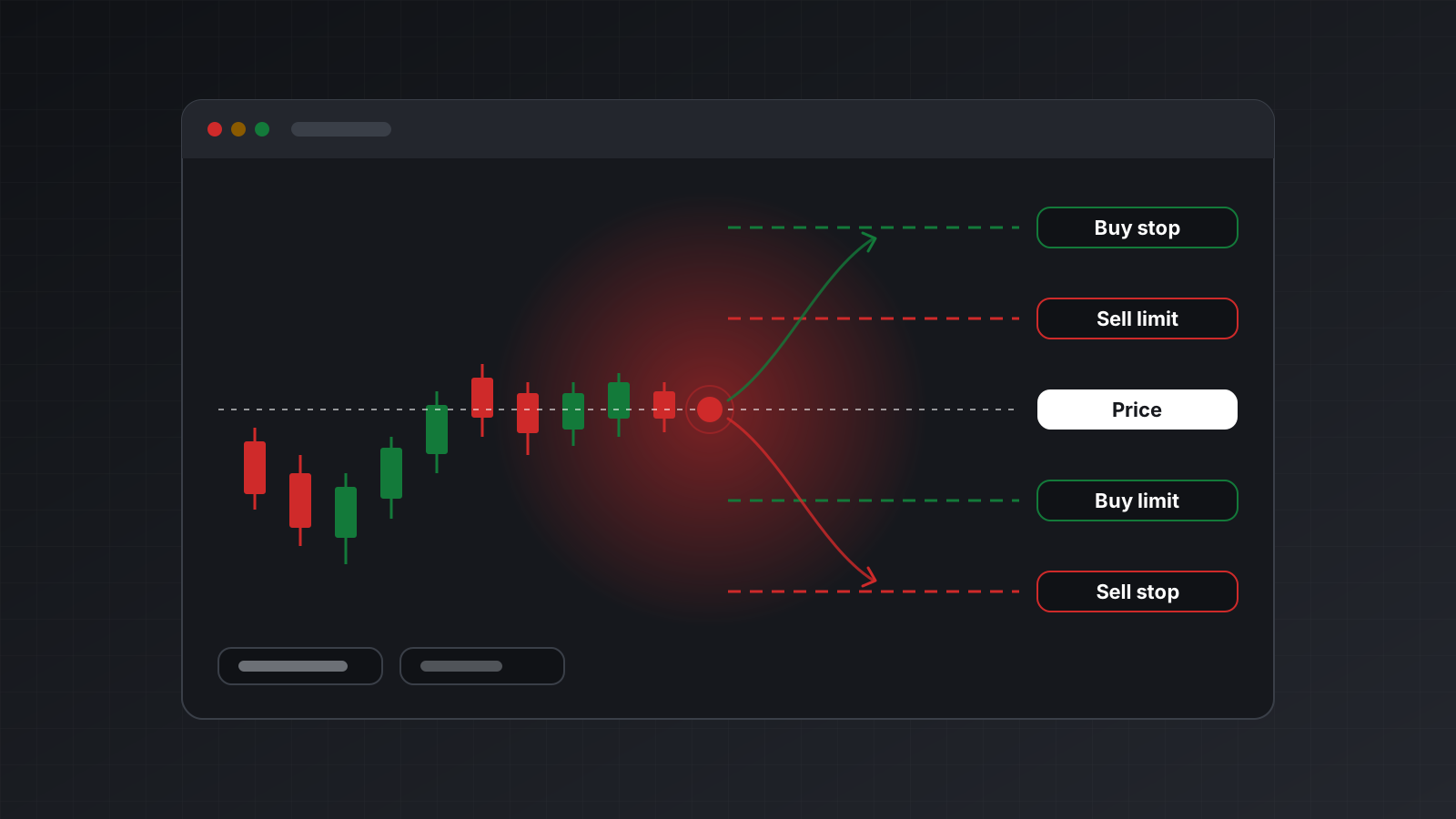
- Limit orders wait for a better price. Buy below the market, sell above it.
- Stop orders wait for the price to move through a level. Buy above the market, sell below it.
| Order | Sits | You expect | actionType |
|---|---|---|---|
| Buy limit | Below the ask | A dip, then a rise | ORDER_TYPE_BUY_LIMIT |
| Sell limit | Above the bid | A rally, then a fall | ORDER_TYPE_SELL_LIMIT |
| Buy stop | Above the ask | A breakout upwards | ORDER_TYPE_BUY_STOP |
| Sell stop | Below the bid | A breakdown downwards | ORDER_TYPE_SELL_STOP |
{
  "actionType": "ORDER_TYPE_BUY_LIMIT",
  "symbol": "EURUSD",
  "volume": 0.10,
  "openPrice": 1.0712
}
A limit order fills at your price or better. A stop order becomes a market order when triggered, so in a fast market it can fill with slippage beyond your level. That is the trade-off: a limit order protects the price but may never fill, and a stop order gets you in but not at an exact price.
Brokers also set a stops level, a minimum distance in points between the current price and a pending order (and its stop loss and take profit). Ask for a level closer than that and the order is rejected. The symbol specification tells you the value.
Stop limit orders (MT5 only)
A stop limit order combines the two. You set a trigger price (openPrice) and a limit price
(stopLimitPrice). When the market reaches the trigger, the terminal places a limit order at the
limit price.
{
  "actionType": "ORDER_TYPE_BUY_STOP_LIMIT",
  "symbol": "EURUSD",
  "volume": 0.10,
  "openPrice": 1.0850,
  "stopLimitPrice": 1.0840
}
Here the price must rise to 1.0850 first. Then a buy limit waits at 1.0840 for a small pullback.
You enter on a breakout without paying whatever the market offers at the spike.
ORDER_TYPE_SELL_STOP_LIMIT is the mirror image.
MT4 has no stop limit order. If your strategy relies on one, you need MT5, or you have to watch the trigger yourself and send a limit order when it is hit.
Stop loss, take profit and expiry
A stop loss (stopLoss) closes a position when the price moves against you by a set amount. A
take profit (takeProfit) closes it when the price reaches your target. Both can go on the
order itself or be added to the open position later.
They are absolute prices by default. Many APIs also accept distances, which saves you from computing prices in code:
{
  "actionType": "ORDER_TYPE_SELL",
  "symbol": "EURUSD",
  "volume": 0.10,
  "stopLoss": 20, "stopLossUnits": "RELATIVE_PIPS",
  "takeProfit": 40, "takeProfitUnits": "RELATIVE_PIPS"
}
Other units include RELATIVE_POINTS, RELATIVE_PRICE, RELATIVE_CURRENCY and
RELATIVE_BALANCE_PERCENTAGE. A stop loss is a request, not a promise. If the market gaps over
it, at the weekly open for example, the position closes at the next available price.
Pending orders can expire. On MT5, expiration.type is one of ORDER_TIME_GTC (good till
cancelled), ORDER_TIME_DAY (until the end of the trading day), ORDER_TIME_SPECIFIED (until a
time) or ORDER_TIME_SPECIFIED_DAY (until the end of a given day). MT4 pending orders take an
expiry time only. Brokers may limit which expiry types a symbol accepts.
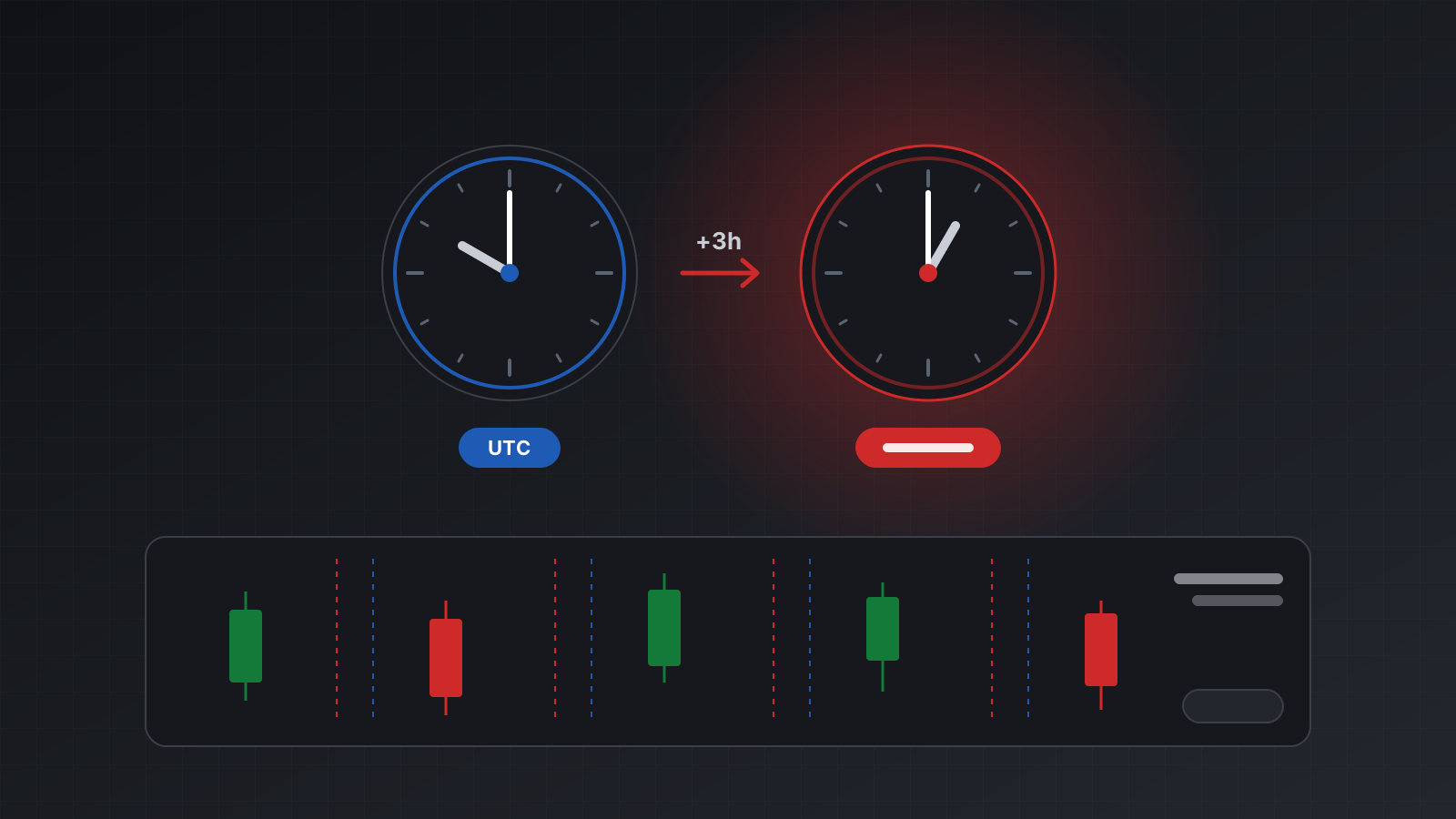
Remember that the trading day ends by the broker’s clock, which is usually not UTC.
Changing and closing
After an order is placed, you work with two kinds of object: pending orders, identified by
orderId, and open positions, identified by positionId.
| Action | actionType | Needs |
|---|---|---|
| Move a pending order’s price or stops | ORDER_MODIFY | orderId, openPrice |
| Delete a pending order | ORDER_CANCEL | orderId |
| Change a position’s stop loss or take profit | POSITION_MODIFY | positionId |
| Close part of a position | POSITION_PARTIAL | positionId, volume |
| Close a position | POSITION_CLOSE_ID | positionId |
| Close every position on a symbol | POSITIONS_CLOSE_SYMBOL | symbol |
| Close a position against an opposite one | POSITION_CLOSE_BY | positionId, closeByPositionId |
Close-by matches a buy and a sell on the same symbol and closes both, paying the spread once instead of twice. It needs an account that can hold both at once (MT4, or an MT5 hedging account) and a broker that allows it. An MT5 netting account holds a single position per symbol, so there is nothing to close against.
Read the answer, not just the status code
On this style of API, POST …/trade answers HTTP 200 even when the broker rejects the order. The
real result is in the body: numericCode and stringCode carry the trade server’s return code.
The codes 10008 (placed), 10009 (done), 10010 (partly done) and 10025 (no changes) are success.
Anything else is a failure, with the reason in message. Code that only checks for HTTP 200 will
believe rejected orders went through.
Doing this with Tickwire
On Tickwire, every action above goes to POST /users/current/accounts/{id}/trade, for MT4 and MT5
accounts alike. Stop limit orders on an MT4 account answer not_supported_on_mt4 rather than being
approximated, and the full list of platform gaps is in MT4 and MT5.
Each answer also carries an outcome: applied (the terminal confirmed it), rejected,
no_change, held (a pre-trade hook you set up is holding it for approval) or unknown. unknown means the order may have executed, so check positions and
orders before acting, and never retry with a new key. Every order takes an Idempotency-Key, so a
retry with the same key returns the first result instead of a second trade. See
idempotency, the trading bot guide and the
errors reference.
Checklist
- Limit orders wait for a better price. Stop orders wait for a move through a level.
- Stop limit orders exist only on MT5.
- Check the symbol’s stops level, fill modes and expiry modes before sending.
- Use relative stop loss and take profit units if computing prices is error-prone in your code.
- Know whether an MT5 account is hedging or netting before you close by or stack positions.
- Read
numericCodeand the outcome, not just the HTTP status. - Practise each order type on a demo account before you risk money.
Trading carries risk, and you can lose money. This post explains software and how it behaves; it is not investment advice.