Slippage, requotes and fills, explained
How MT4 and MT5 fill market orders: execution modes, slippage and the deviation setting, requotes, partial fills, MT5 filling modes, and how to measure what happened.
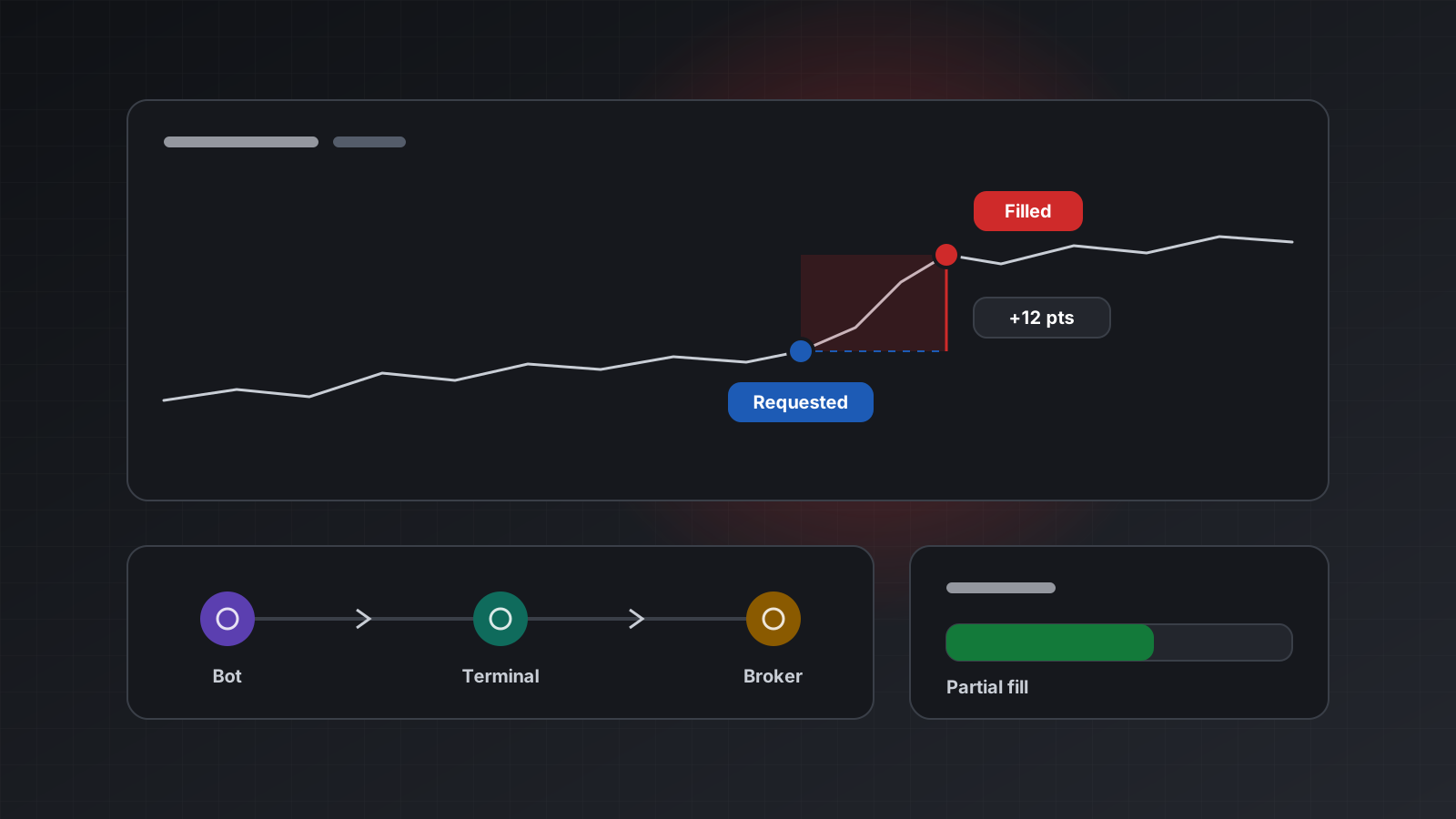
You press buy at 1.08450 and the trade opens at 1.08462. Or the broker answers “requote” and nothing opens at all. Or you asked for 5 lots and got 3. None of this means something is broken. It is how orders meet a market that keeps moving while your request is on its way.
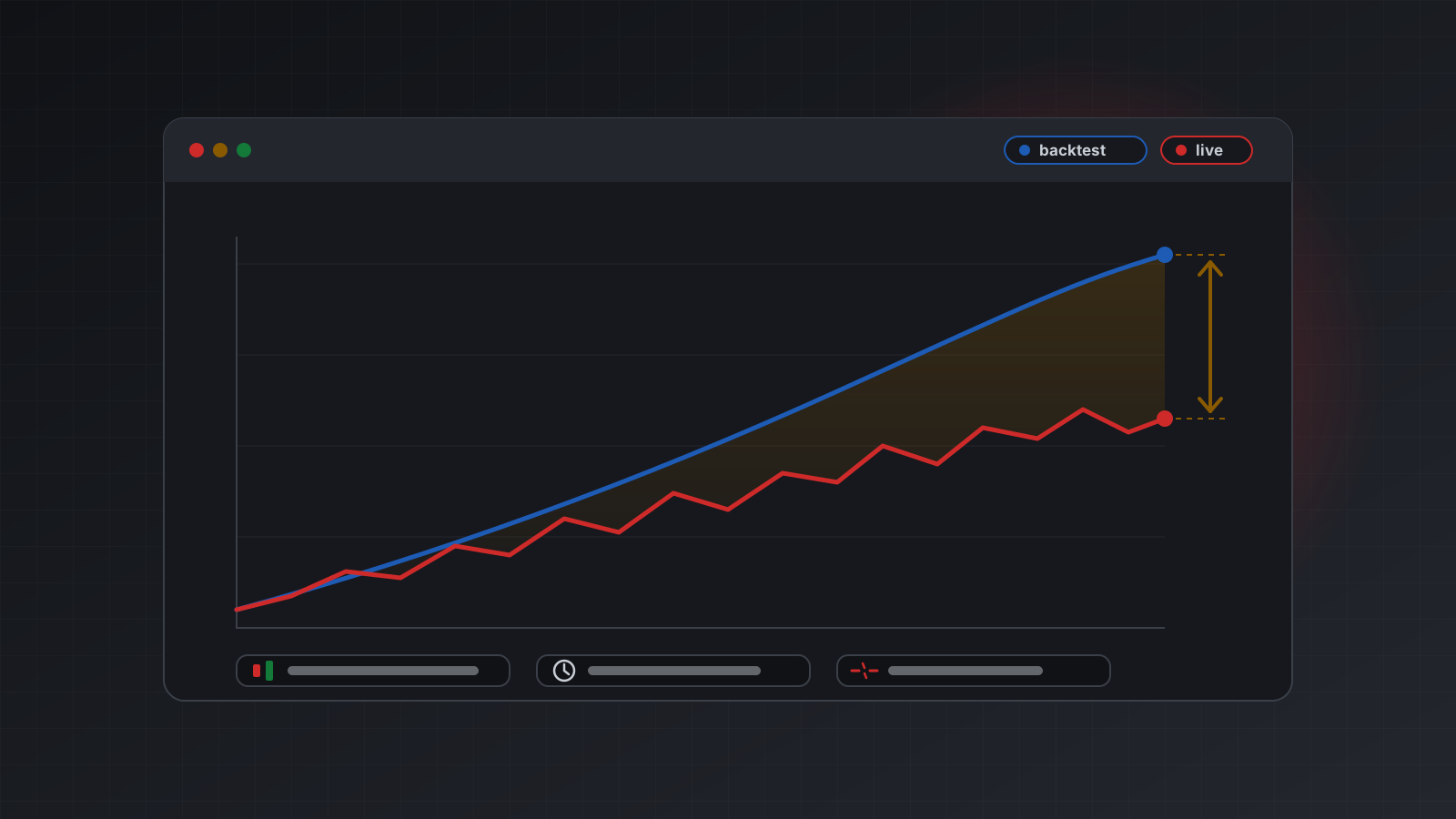
For an automated strategy these small differences add up. They are often the biggest reason live results trail a backtest, and they decide whether a bot handles a busy market calmly or ends up with the wrong position.
This post explains how MetaTrader 4 (MT4) and MetaTrader 5 (MT5) fill market orders, what slippage, requotes and partial fills are, what the filling modes on MT5 do, and how to read what actually happened from the account’s own records.
From “send” to “filled”
A market order passes through several hands. Your program reads a price and decides. The order travels to the terminal, from the terminal to the broker’s trade server, and from there to wherever the broker finds the other side of the trade. The answer travels back the same way.
Each hop takes time, often milliseconds, sometimes more. The price you saw is a snapshot of the past by the time the order arrives. In a quiet market the price has usually not moved. In a fast market it has, and the broker has to decide what to do about the difference.
How it decides depends on the symbol’s execution mode, which the broker sets per symbol.
Three ways to execute a market order
MetaTrader defines these modes in its order properties reference:
| Mode | Who sets the price | Can you cap the move? | What you may see |
|---|---|---|---|
| Request execution | The terminal asks the broker for a price first, then sends the order at it | Yes | Confirmation or rejection |
| Instant execution | The terminal puts the current price in the order | Yes, with a deviation | A fill, or a requote |
| Market execution | The broker fills at the price it has when the order arrives | No | A fill, with slippage |
There is a fourth mode, exchange execution, for symbols traded on an exchange. It fills at the current offers in the order book.
Most currency pairs at most brokers today use market execution or instant execution. Your code can’t change the mode, but it can read it from the symbol’s specification and behave accordingly.
Slippage, deviation and requotes
Slippage is the difference between the price you expected and the price you got. It can go either way:
- Negative slippage is a worse price: a buy fills higher, or a sell fills lower.
- Positive slippage is a better price. It happens too, though traders tend to remember the other kind.
With instant or request execution you can set a maximum deviation: how far the price may move from your requested price before the broker should refuse instead of fill. MetaTrader measures it in points, the smallest price step of the symbol. On a five-digit EURUSD quote, one point is 0.00001, so a deviation of 30 points allows a move of 0.00030, which is 3 pips. (A pip is the traditional unit for currency moves, 0.0001 on most pairs.)
With market execution the deviation is ignored. The broker fills at what it has, and slippage is the price of certainty: you always get in, at a price you learn afterwards.
Picking a deviation is a trade-off. A tight one protects the price but means more refused orders in busy markets. A wide one gets more fills at worse prices. There is no right number. It depends on the strategy, and on what a missed trade costs you compared with a worse fill.
Requotes
A requote happens with instant execution. The broker rejects your price and offers a new one instead. In code, a requote is a refusal: MT5 reports it as return code 10004, and nothing was traded.
What to do next is a strategy decision, not a retry:
- Read a fresh price.
- Check whether the signal still holds at that price.
- If it does, send it as a new order.
Never loop on requotes at high speed. In a fast market each new attempt is likely to be requoted again, and when one finally fills it may be far from where the idea made sense.
Partial fills and filling modes on MT5
Sometimes the full volume is not available at the price. MT5 lets you say what should happen then, through the order’s filling mode (also called fill policy):
- Fill or kill (FOK): fill the whole volume, or nothing at all.
- Immediate or cancel (IOC): fill as much as is available now and cancel the rest.
- Return: fill what is available and keep the remaining volume working.
Brokers don’t allow every mode on every symbol. The MQL5 reference states the rules:
| Execution mode | FOK | IOC | Return |
|---|---|---|---|
| Instant or request | Allowed | Allowed | Always allowed |
| Market | If the symbol allows it | If the symbol allows it | Never |
| Exchange | If the symbol allows it | If the symbol allows it | Always allowed |
Pending orders use Return, because they are not meant to fill at the moment you send them. Send a mode the symbol does not allow and the order is refused with an “unsupported filling mode” error. This is one of the most common first errors when moving code from one broker to another.
MT4 has no filling mode setting. If your code runs on both platforms, keep the filling choice in the MT5 path only.
A partial fill means you hold a smaller position than you asked for. Your code should always read back the volume it actually holds, rather than assume the order was filled in full.
Why fills get worse on news and in fast markets
Slippage is not random noise spread evenly through the day. It clusters around a few moments:
- Scheduled news. Around big economic releases, liquidity providers pull their prices for a moment. Spreads widen and the next available price can be several pips away.
- Thin hours. Around the daily rollover, at the weekly open, and on holidays there are fewer participants and wider spreads.
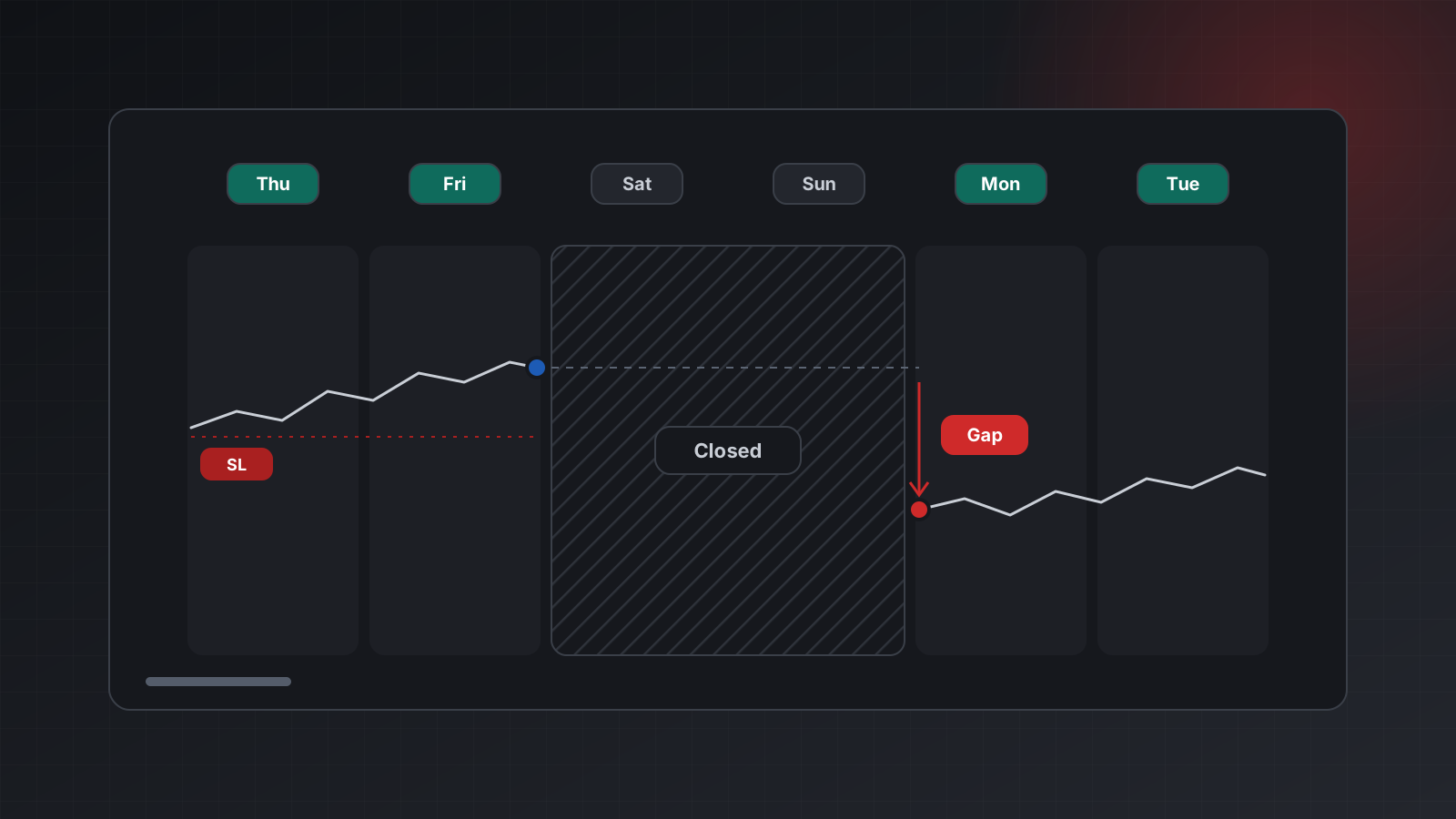
- Gaps. When the market reopens after a weekend, the first price can be far from Friday’s close. Any stop between the two fills at the first available price.
- Stops and stop orders. A stop loss or a buy stop becomes a market order when it triggers. It triggers exactly when the price is moving fast through that level, so it is more likely to slip than an order placed in a calm moment.
- Size. A large order can take all the volume at the best price and fill the rest at worse ones.
A strategy that trades at these moments should expect worse fills, and should test with realistic slippage rather than none. Why live results differ from your backtest covers how to put measured costs back into testing.
Reading what actually happened
Don’t trust the price you asked for. Trust the deal. A deal is MetaTrader’s record of a trade that happened, and it carries the real fill price, volume and time.
To measure slippage, record the price your program expected when it decided (the ask for a buy, the bid for a sell), then compare it with the deal price:
def slippage_points(side: str, expected: float, filled: float, point: float) -> float:
    """Positive = worse than expected, negative = better."""
    diff = filled - expected if side == "buy" else expected - filled
    return round(diff / point, 1)

print(slippage_points("buy", 1.08450, 1.08462, 0.00001))   # 12.0 points worse
print(slippage_points("sell", 1.08440, 1.08445, 0.00001))  # -5.0, 5 points better
Log this for every fill along with the time, the spread at the moment of the decision and the broker’s result code. After a few weeks you will know your real cost per trade, and which hours and events make it worse.
Doing this with Tickwire
On Tickwire, the symbol specification (GET /users/current/accounts/<ACCOUNT_ID>/symbols/<SYMBOL>/specification)
tells you the execution mode in deal and the allowed fill policies in fillingModes. Orders go
to POST /users/current/accounts/<ACCOUNT_ID>/trade:
{
  "actionType": "ORDER_TYPE_BUY",
  "symbol": "EURUSD",
  "volume": 0.10,
  "slippage": 20,
  "fillingModes": ["ORDER_FILLING_IOC", "ORDER_FILLING_FOK"]
}
slippage is the maximum deviation in points. It matters under instant and request execution, and
is ignored under market execution. On MT4 accounts, an order without slippage uses the account’s
default of 30 points. fillingModes is a priority list for MT5: Tickwire picks from the modes the
symbol allows.
Every answer carries the broker’s own code and an outcome:
applied: the terminal confirmed the fill.partial: part of the volume filled.rejected: refused, for example a requote. Nothing happened.unknown: the connection dropped after the order left, so it may have filled. Never retry with a new key. Repeat with the sameIdempotency-Key, or check positions first.
The answer includes positionId. GET .../history-deals/position/<POSITION_ID> returns the deals
of that position with their real price, volume, time (UTC) and brokerTime. See
idempotency and trade outcomes, the errors reference and
MT4 and MT5.
Checklist
- Read the symbol’s execution mode and allowed filling modes before you send.
- Set a deviation in points where the mode allows it, and decide what a missed trade costs you.
- Treat a requote as a refusal: re-read the price and decide again, never retry in a tight loop.
- On MT5, send a filling mode the symbol allows, or a priority list.
- Read back the volume you actually hold after every order.
- Measure slippage from the deal price, not the requested price.
- Expect worse fills on news, at rollover, at the weekly open and on stops.
- Practise on a demo account before you risk money, and compare its fills with what you expect.
Trading carries risk, and you can lose money. This post explains software and how it behaves; it is not investment advice.